Server Overview
This is the home server setup. Everything important runs on a TrueNAS box at 192.168.2.203. My Windows PC at 192.168.2.200 is just a client now, not a service host.
If something is broken, start with Common Issues. If you want to understand how stream.saxobroko.com reaches a box in my house, read Network.
What runs where
| Thing | Device | Notes |
|---|---|---|
| TrueNAS, media, photos, Docker apps | Ugreen DXP 8800 Plus @ 192.168.2.203 |
TrueNAS, Services |
| Windows PC (client) | 192.168.2.200 |
Browsing, gaming, local tools only |
| Network | UniFi Dream Machine SE + 2× U7 APs | UniFi |
| Public homelab URLs | Cloudflare Tunnel + WAF | See Network |
| SaxDocs | Cloudflare Pages | This docs site — not on the NAS |
Quick links
- Network — tunnels, subdomains, how traffic flows
- UniFi — router and Wi‑Fi
- TrueNAS — NAS admin (
dsm.saxobroko.com) - Services — Jellyfin, Navidrome, *arr stack, etc.
- Homepage —
dash.saxobroko.com - Adding media — getting files onto the server for Jellyfin
- Windows network drive — mapping shares in File Explorer
- Common Issues — things that break repeatedly
Hardware
Current NAS: Ugreen DXP 8800 Plus
Running TrueNAS in a RAIDZ1 pool:
- 7× 16 TB drives in the pool today
- 1× 16 TB drive on the way (will expand to 8-wide RAIDZ1)
- Usable capacity depends on parity; check the TrueNAS dashboard for live numbers
Web UI: dsm.saxobroko.com (legacy hostname from the Synology days — it points at TrueNAS now)
Previous NAS: Synology DS920+ (retired)
Before TrueNAS I ran a Synology DS920+ with a DX517 expansion unit. That setup is gone but some folder names and hostnames (Morpheus, dsm.saxobroko.com) stuck around.
Old drive layout for reference: 9 bays total, mix of 8 TB and 4 TB drives, 2 NVMe cache accelerators. Synology Photos lived on that box until the migration.
Photos
Drive use (historical — Synology era)
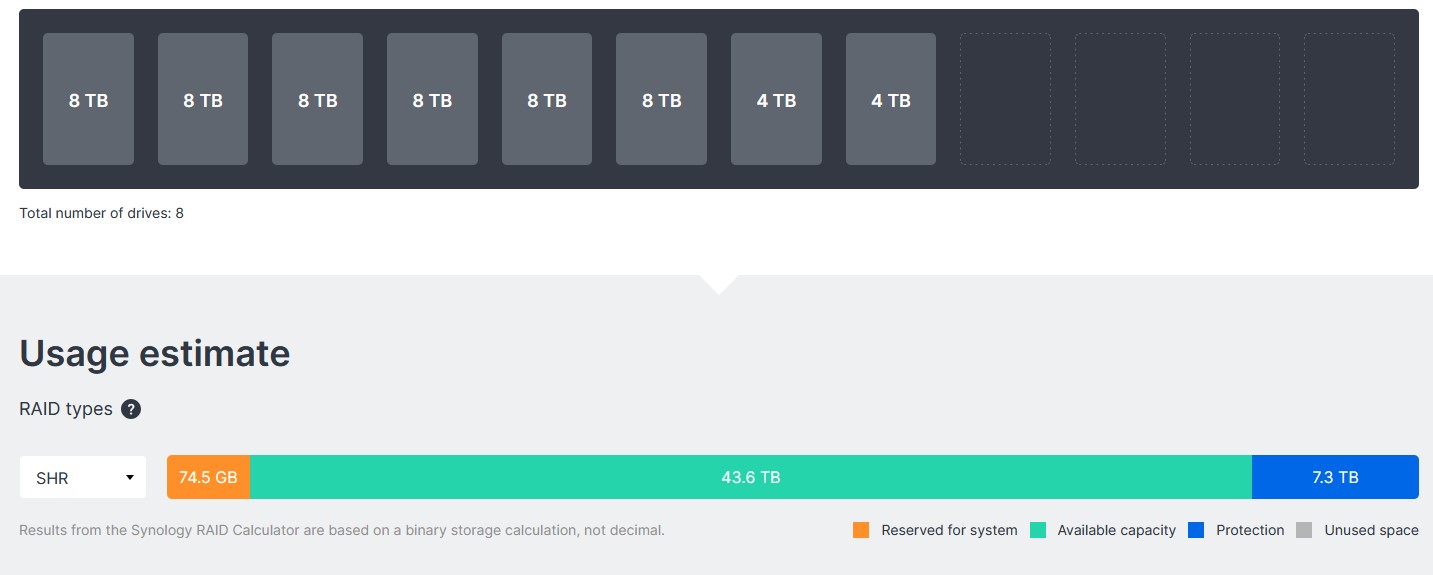
This screenshot is from the old Synology setup. Check TrueNAS Storage for current pool usage.