Homepage
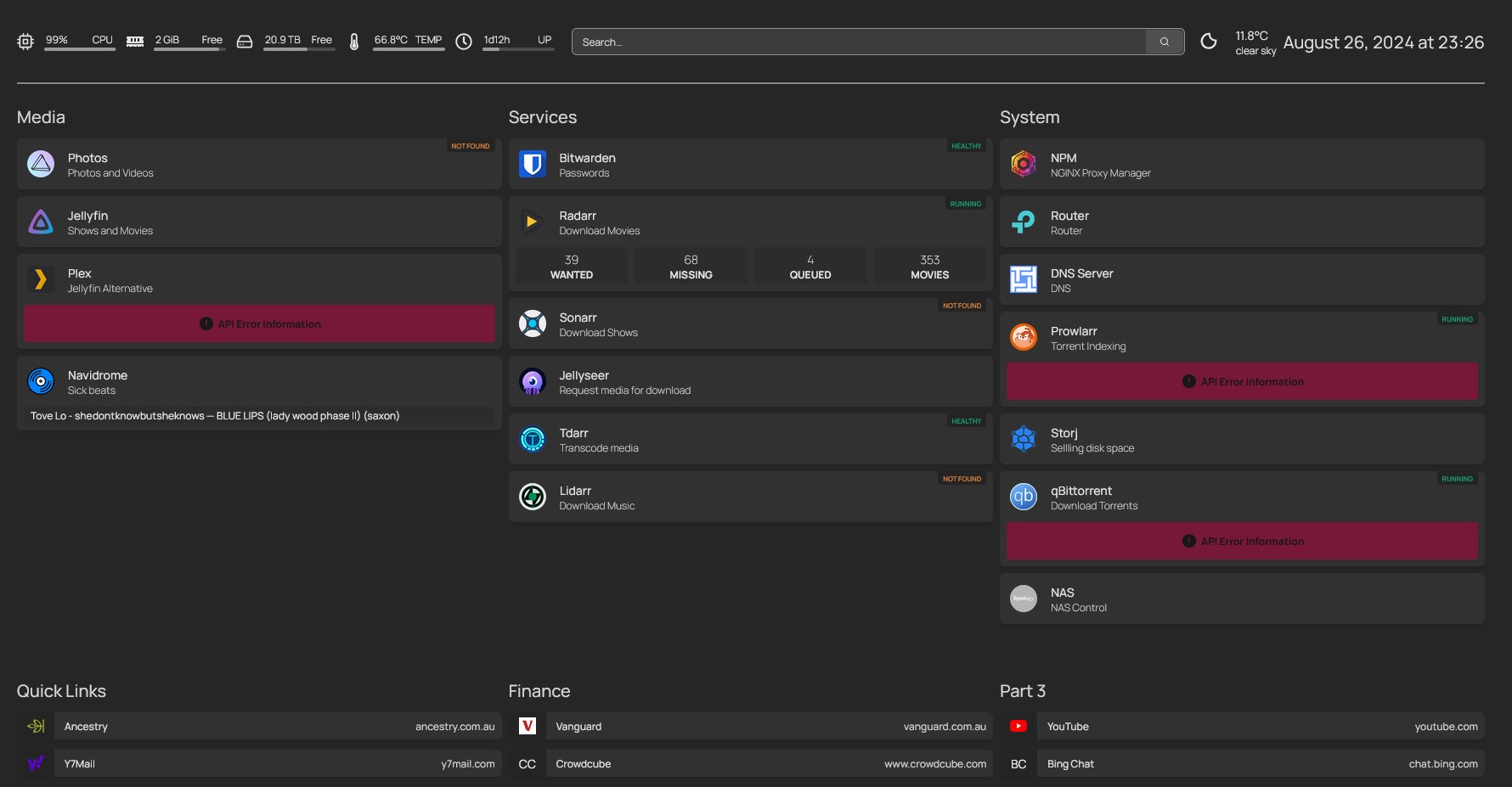
Homepage is the dashboard with links to all my services. One page instead of remembering subdomains and ports.
URLs
| Access | URL |
|---|---|
| Public | dash.saxobroko.com |
| LAN | TrueNAS Docker app — check TrueNAS Apps for the local port (often 3000 or similar) |
Traffic flow: browser → Cloudflare → cloudflared → Homepage container → (optional) Authentik in front.
Authentik gate
Homepage sits behind Authentik SSO for public access. If you hit a login wall instead of the dashboard, sign in through Authentik first.
| Step | Action |
|---|---|
| 1 | Visit dash.saxobroko.com |
| 2 | Redirect to auth.saxobroko.com |
| 3 | Sign in (credentials in Vaultwarden — do not store them in this doc) |
| 4 | Return to Homepage with dashboard visible |
Authentik config: Authentik. If login loops, check OIDC callback URLs are not blocked by Cloudflare Access.
LAN access may bypass Authentik depending on tunnel vs direct port — behaviour can differ; test both if debugging.
What it shows
Tiles for Jellyfin, TrueNAS, Photos, Navidrome, *arr apps, SaxDocs, monitoring links, and whatever else is running. Status indicators (widget/API ping) show what is up without opening each service.
Useful overlap with status.saxobroko.com — Homepage is interactive; status page is historical uptime — Monitoring.
Config file location (TrueNAS)
Homepage is configured via YAML. On TrueNAS Docker apps, the config usually lives in a mounted dataset or host path.
| Item | Typical pattern |
|---|---|
| App | TrueNAS → Apps → Homepage (or gethomepage/homepage) |
| Config mount | Host path or PVC mapped to /app/config inside the container |
| Main file | settings.yaml — general settings, title, theme |
| Services | services.yaml — groups and tiles |
| Widgets | widgets.yaml — optional dashboard widgets |
| Bookmarks | bookmarks.yaml — quick links |
TODO: record exact host path after next edit — e.g. /mnt/pool/apps/homepage/config/ or the path shown in the app's Storage / Volumes tab.
Edit workflow:
- SSH or TrueNAS shell or edit via SMB if the config directory is shared (uncommon)
- Prefer editing
services.yamlfor new tiles - Restart the Homepage app or wait for file watcher reload (depends on version)
- Hard-refresh browser on dash.saxobroko.com
Tile examples
Below are representative YAML snippets — adjust URLs and icons to match the live config.
Jellyfin
- Media:
    - Jellyfin:
        icon: jellyfin.png
        href: https://stream.saxobroko.com
        description: Video library
        widget:
          type: jellyfin
          url: https://stream.saxobroko.com
          key: <api-key-in-vaultwarden>
TrueNAS
*arr stack
- Automation:
    - Overseerr:
        icon: overseerr.png
        href: https://request.saxobroko.com
    - Sonarr:
        icon: sonarr.png
        href: https://sonarr.saxobroko.com
    - Radarr:
        icon: radarr.png
        href: https://radarr.saxobroko.com
    - Prowlarr:
        icon: prowlarr.png
        href: https://prowlarr.saxobroko.com
Full stack doc: arr-stack
SaxDocs
API keys for widgets belong in Vaultwarden, not SaxDocs. Reference them obliquely in YAML on the server.
Adding a new service
- Get the app running on TrueNAS — Services
- Add a Cloudflare Tunnel hostname if external access is needed — Network
- Add a tile in Homepage
services.yamlwith name, icon, and URL - If it should be public, add the hostname to WAF rules (block no aus, localnet full strict ssl) as needed
- If it should be behind Authentik, configure the provider/application in Authentik first
- Update SaxDocs service list
Jellyfin Accounts Manager
TODO: Jellyfin Accounts Manager still needs proper Homepage and tunnel entries.
| Item | Status |
|---|---|
| App on TrueNAS | TODO: confirm installed app name and port |
| Public URL | TODO: subdomain if any |
| Homepage tile | Not added yet |
| Tunnel hostname | TODO |
Was previously at a direct LAN port during the Windows-host era — check TrueNAS Apps for the current internal URL. Purpose: manage Jellyfin users without full admin UI exposure.
When done: link from Jellyfin tile group, add tunnel + WAF, document in Jellyfin.
Troubleshooting
| Symptom | Fix |
|---|---|
| Login wall, no dashboard | Authentik — Common Issues |
| Tile red / down | Target service or widget API key; service may be fine while widget fails |
| YAML edit not showing | Restart Homepage app; validate YAML syntax |
| 403 from outside AU | Expected — block no aus |
Related
- Authentik — SSO
- cloudflared — public access
- Services — what to link
- Monitoring — status.saxobroko.com
- Network — hostnames